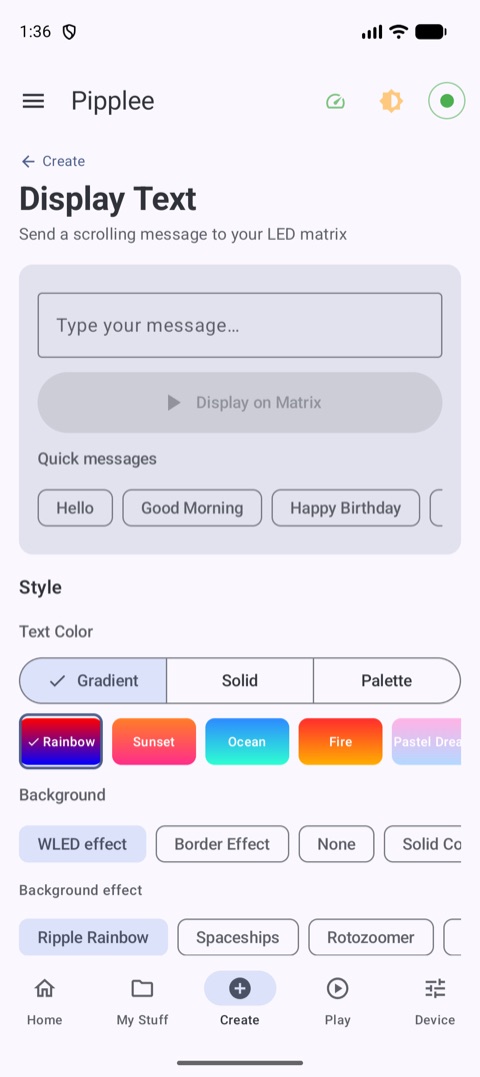
WLED Scrolling Text
Turn your LED matrix into a message board, name tag, shop sign, or party banner — with custom fonts, colors, and scroll speed.
Custom messages on any matrix
Pipplee generates WLED-compatible scrolling text presets from your phone. No JSON editing, no desktop tools — type, customize, and play.
- Multiple font styles and sizes
- Full color picker for text and background
- Adjustable scroll speed and direction
- Background effects (solid, gradient, animated)
- Works on 16×16, 32×8, 32×32, and custom grids
Best panel sizes for text
32×8 / 8×32 — wide strips, most readable for long messages.
16×16 / 32×32 — short messages, icons + text combos.
32×8 setup guideWLED’s built-in text vs Pipplee
WLED already has a Scrolling Text effect: put your message in the segment name and choose the effect. It is quick for a single line, but you edit the segment name in the WLED web UI each time and control is limited to the effect’s own speed and colour settings.
With Pipplee you type the message on your phone, pick a font, colour, speed and effect, and see it on the matrix straight away. It works on 16×16, 32×8 and other 2D panels, and is easier when you change messages often — for a shop sign, a desk display or a party.
Use cases
Home & Desk
Welcome messages, reminders, weather notes on a matrix clock panel.
Shops & Cafés
Open/closed signs, daily specials, event announcements.
Events & Parties
Birthday names, congratulations, themed messages with color effects.
Text features
Fonts made for LEDs
Bold, blocky or thin styles that stay readable on 8-row panels.
Any colours
Pick text and background colours for a high-contrast sign.
Adjustable speed
From slow and readable to fast, and loop it all day.
Languages and emoji
Arabic, Hindi and other Unicode scripts, plus emoji.
Speak your message
Tap the microphone and say it; it scrolls when you stop talking.
Share from any app
Send text to the matrix from other apps, or with Siri on iPhone.
Frequently asked questions